项目 / addyosmani/agent-skills
一套可直接上线的工程技能包,教 AI 编程助手按规范写好代码。
本站整理,非 GitHub 官方 description。
官方快照(gh_history.db,2026-11-25):总榜 #44 · 日榜 未进 Top50 · 周榜未满 7 天基线(官方不生成) · 月榜暂无官方口径;下方四卡为站内趋势聚合(周卡按上榜次数,非官方 7 日增量窗)。
以下三段按该项目自己的 GitHub README 章节摘录(可合理截断并标明);README 没有对应章节的留空,不编造。
可通过 npx skills add 命令把该仓库的全部 25 个技能安装进 70 多个 agent,也可用 --skill 参数单独安装某个技能,或通过 /plugin marketplace 方式原生集成。
来自 GitHub 仓库 README / 主页介绍正文,正文较长,已截断:保留前 20000 字符(原始 26,537 字节),完整内容见 GitHub 仓库。
# Agent Skills **Production-grade engineering skills for AI coding agents.** Skills encode the workflows, quality gates, and best practices that senior engineers use when building software. These ones are packaged so AI agents follow them consistently across every phase of development. <a href="https://trendshift.io/repositories/25200" target="_blank"><img src="https://trendshift.io/api/badge/repositories/25200" alt="addyosmani%2Fagent-skills | Trendshift" style="width: 250px; height: 55px;" width="250" height="55"/></a> 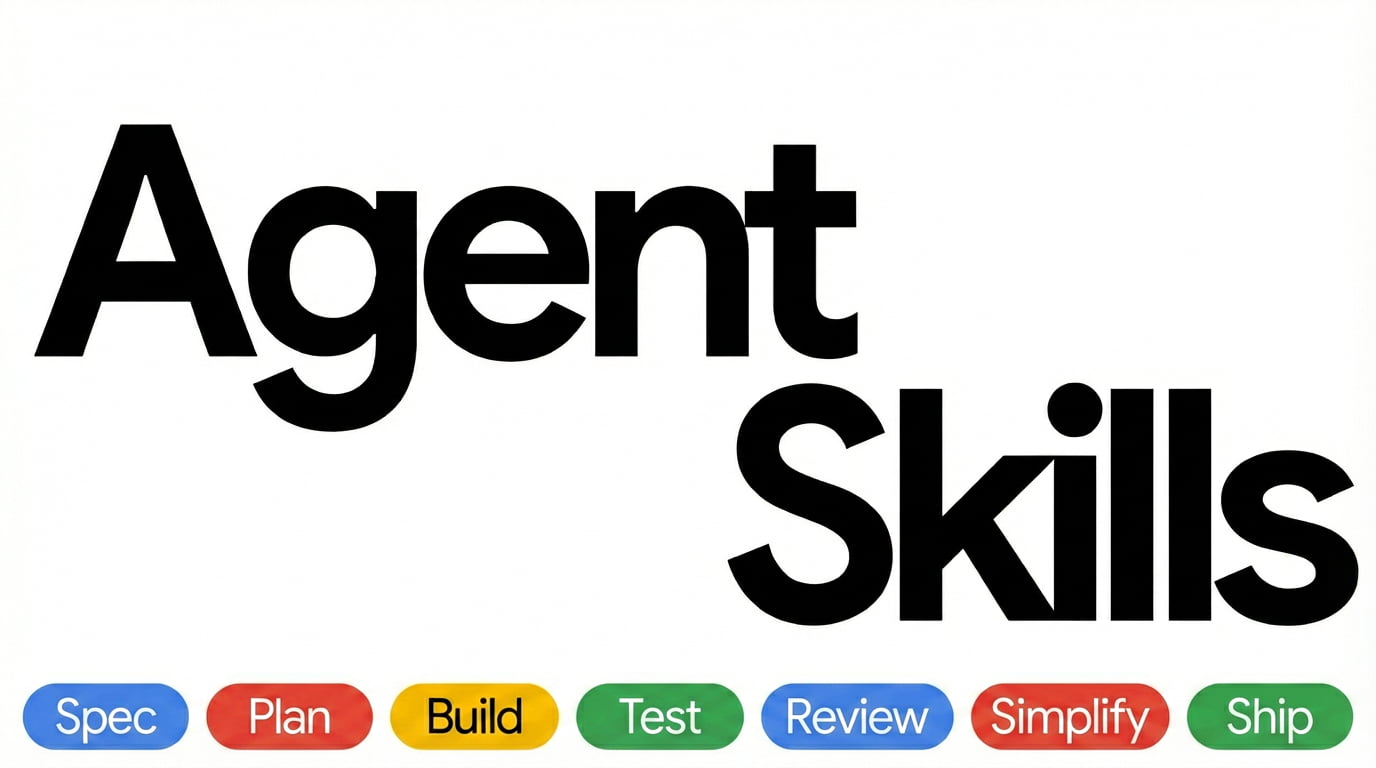 ``` DEFINE PLAN BUILD VERIFY REVIEW SHIP ┌──────┐ ┌──────┐ ┌──────┐ ┌──────┐ ┌──────┐ ┌──────┐ │ Idea │ ───▶ │ Spec │ ───▶ │ Code │ ───▶ │ Test │ ───▶ │ QA │ ───▶ │ Go │ │Refine│ │ PRD │ │ Impl │ │Debug │ │ Gate │ │ Live │ └──────┘ └──────┘ └──────┘ └──────┘ └──────┘ └──────┘ /spec /plan /build /test /review /ship ``` --- ## Commands 10 slash commands that map to the development lifecycle. Each one activates the right skills automatically. | What you're doing | Command | Key principle | |-------------------|---------|---------------| | Define what to build | `/spec` | Spec before code | | Plan how to build it | `/plan` | Small, atomic tasks | | Build incrementally | `/build` | One slice at a time | | Prove it works | `/test` | Tests are proof | | Set the quality bar | `/constraints` | Decide it once, enforce it everywhere | | Review before merge | `/review` | Improve code health | | Audit web performance | `/webperf` | Measure before you optimize | | Audit accessibility | `/a11y` | Automation is a smoke test; manual verification completes the audit | | Simplify the code | `/code-simplify` | Clarity over cleverness | | Ship to production | `/ship` | Faster is safer | In Claude Code these install as plugin commands. Where a built-in command has the same name, as `/review` does, use the namespaced form: `/agent-skills:review`. Want fewer manual steps once the spec exists? **`/build auto`** generates the plan and implements every task in a single approved pass — you approve the plan once, then it runs autonomously. It removes the human stepping *between* tasks, not the verification: every task is still test-driven and committed individually, and it pauses on failures or risky steps. Skills also activate automatically based on what you're doing — designing an API triggers `api-and-interface-design`, building UI triggers `frontend-ui-engineering`, and so on. --- ## Quick Start **Fastest path — any agent, one command.** The open [skills CLI](https://github.com/vercel-labs/skills) installs into 70+ agents (Claude Code, Cursor, Codex, Copilot, Cline, and more): ```bash npx skills add addyosmani/agent-skills # install all 26 skills npx skills add addyosmani/agent-skills --list # browse before installing ``` Or grab individual skills: ```bash npx skills add addyosmani/agent-skills --skill code-review-and-quality # five-axis review before merge npx skills add addyosmani/agent-skills --skill interview-me # requirements interrogation, one question at a time npx skills add addyosmani/agent-skills --skill test-driven-development # red-green-refactor, enforced ``` > **Installing one skill?** A per-skill `npx` install copies only > `skills/<name>/`, not the repo-level `references/` directory. The skill still > works, but paths to supplementary shared checklists are unavailable. Use a > whole-repo integration, clone the repository, or copy the needed checklist into > a `references/` directory inside the installed skill. This portability gap is > tracked in [#361](https://github.com/addyosmani/agent-skills/issues/361). Prefer a native integration? Pick your tool below. <details> <summary><b>Claude Code (recommended)</b></summary> **Marketplace install:** ``` /plugin marketplace add addyosmani/agent-skills /plugin install agent-skills@addy-agent-skills ``` > **SSH errors?** The marketplace clones repos via SSH. If you don't have SSH keys set up on GitHub, either [add your SSH key](https://docs.github.com/en/authentication/connecting-to-github-with-ssh/adding-a-new-ssh-key-to-your-github-account) or use the full HTTPS URL to force HTTPS cloning during the marketplace-add step: > ```bash > /plugin marketplace add https://github.com/addyosmani/agent-skills.git > /plugin install agent-skills@addy-agent-skills > ``` > > If `/plugin install` still fails with `git@github.com: Permission denied (publickey)` on Windows or macOS, the recommended workaround is to configure Git once to rewrite GitHub SSH URLs to HTTPS for subprocess clones: > ```bash > git config --global url."https://github.com/".insteadOf git@github.com: > ``` **Local / development:** ```bash git clone https://github.com/addyosmani/agent-skills.git claude --plugin-dir /path/to/agent-skills ``` </details> <details> <summary><b>Cursor</b></summary> Put workflow skills under `.cursor/skills/` (sync from `agent-skills/skills/`) and short policies in `.cursor/rules/*.mdc` — do not paste full skills into rules. Both directories live in your project; this repo does not ship a `.cursor/` folder. See [docs/cursor-setup.md](docs/cursor-setup.md). </details> <details> <summary><b>Antigravity CLI</b></summary> Install as a native plugin for skills and subagents. In affected Antigravity CLI releases, legacy command TOMLs are reported as converted but their wrapper commands are not discoverable; invoke the underlying namespaced skills directly. See [docs/antigravity-setup.md](docs/antigravity-setup.md#lifecycle-workflows-and-command-compatibility). **Install from the repo:** ```bash agy plugin install https://github.com/addyosmani/agent-skills.git ``` **Install from a local clone:** ```bash git clone https://github.com/addyosmani/agent-skills.git agy plugin install ./agent-skills ``` </details> <details> <summary><b>Gemini CLI</b></summary> Install as native skills for auto-discovery, or add to `GEMINI.md` for persistent context. See [docs/gemini-cli-setup.md](docs/gemini-cli-setup.md). **Install from the repo:** ```bash gemini skills install https://github.com/addyosmani/agent-skills.git --path skills ``` **Install from a local clone:** ```bash gemini skills install ./agent-skills/skills/ ``` </details> <details> <summary><b>Windsurf</b></summary> Add skill contents to your Windsurf rules configuration. See [docs/windsurf-setup.md](docs/windsurf-setup.md). </details> <details> <summary><b>OpenCode</b></summary> Copy skills to `.opencode/skills/` (or `~/.config/opencode/skills/`), add a project-local `AGENTS.md`, and use the built-in `skill` tool for agent-driven execution. Optional slash commands can be added under `.opencode/commands/`. See [docs/opencode-setup.md](docs/opencode-setup.md). </details> <details> <summary><b>GitHub Copilot</b></summary> Use agent definitions from `agents/` as Copilot personas and skill content in `.github/copilot-instructions.md`. The lifecycle slash commands (`/spec`, `/plan`, `/build`, `/test`, `/review`, `/ship`) are Claude Code commands and do not appear in Copilot; invoke the skills by name (`/spec-driven-development`, …) instead. See [docs/copilot-setup.md](docs/copilot-setup.md). Using the standalone `copilot` CLI? Install it as a plugin — see [docs/copilot-cli-setup.md](docs/copilot-cli-setup.md). </details> <details> <summary><b>Kiro IDE & CLI </b></summary> Skills for Kiro reside under ".kiro/skills/" and can be stored under Project or Global level. Kiro also supports Agents.md. See Kiro docs at https://kiro.dev/docs/skills/ </details> <details> <summary><b>Codex</b></summary> Install as a native Codex plugin (Codex CLI v0.122+): ```bash codex plugin marketplace add addyosmani/agent-skills codex plugin add agent-skills@agent-skills ``` The first command registers the marketplace; the second installs the plugin. Codex reads the root `skills/` directory directly through `.codex-plugin/plugin.json`. Once installed, invoke skills in chat using `@` (e.g., `@spec-driven-development`). See [docs/codex-setup.md](docs/codex-setup.md) for local installation and troubleshooting. </details> <details> <summary><b>Command Code</b></summary> Install natively with the built-in `cmd skills` command. Command Code clones the repo, discovers every `SKILL.md`, and installs into `.commandcode/skills/`: ```bash cmd skills add addyosmani/agent-skills # pick skills to install (project) cmd skills add addyosmani/agent-skills --global # install for all projects (~/.commandcode/skills/) cmd skills add addyosmani/agent-skills -s spec-driven-development # install a specific skill ``` Installed skills show up in the TUI slash menu, e.g. `/spec-driven-development`. See [docs/commandcode-setup.md](docs/commandcode-setup.md). </details> <details> <summary><b>Other Agents</b></summary> Skills are plain Markdown - they work with any agent that accepts system prompts or instruction files. See [docs/getting-started.md](docs/getting-started.md). Hosts that install the pack but aren't listed above are in [docs/other-hosts.md](docs/other-hosts.md). </details> --- ## Adoption Already installed? How you roll the pack out depends on your codebase. The **[Adoption Guide](docs/adoption-guide.md)** covers two paths: the full lifecycle from day one for a greenfield project, or an incremental, verification-first rollout for an established codebase. --- ## All 26 Skills The commands above are entry points. The pack includes 26 skills total — 25 lifecycle skills plus the `using-agent-skills` meta-skill. Each skill is a structured workflow with steps, verification gates, and anti-rationalization tables. You can also reference any skill directly. ### Meta - Discover which skill applies | Skill | What It Does | Use When | |-------|-------------|----------| | [using-agent-skills](skills/using-agent-skills/SKILL.md) | Maps incoming work to the right skill workflow and defines shared operating rules | Starting a session or deciding which skill applies | ### Define - Clarify what to build | Skill | What It Does | Use When | |-------|-------------|----------| | [interview-me](skills/interview-me/SKILL.md) | One-question-at-a-time interview that extracts what the user actually wants instead of what they think they should want, until ~95% confidence | The ask is underspecified, or the user invokes "interview me" / "grill me" | | [idea-refine](skills/idea-refine/SKILL.md) | Structured divergent/convergent thinking to turn vague ideas into concrete proposals | You have a rough concept that needs exploration | | [spec-driven-development](skills/spec-driven-development/SKILL.md) | Write a PRD covering objectives, commands, structure, code style, testing, and boundaries before any code | Starting a new project, feature, or significant change | | [constraint-driven-development](skills/constraint-driven-development/SKILL.md) | Interviews you for a quality bar with sane default thresholds, writes CONSTRAINTS.md, places each check by cost, and catches agents silencing checks or skipping tests to get green | No standards are written down, or an agent is producing more than anyone reads | ### Plan - Break it down | Skill | What It Does | Use When | |-------|-------------|----------| | [planning-and-task-breakdown](skills/planning-and-task-breakdown/SKILL.md) | Decompose specs into small, verifiable tasks with acceptance criteria and dependency ordering | You have a spec and need implementable units | ### Build - Write the code | Skill | What It Does | Use When | |-------|-------------|----------| | [incremental-implementation](skills/incremental-implementation/SKILL.md) | Thin vertical slices - implement, test, verify, commit. Feature flags, safe defaults, rollback-friendly changes | Any change touching more than one file | | [test-driven-development](skills/test-driven-development/SKILL.md) | Red-Green-Refactor, test pyramid (80/15/5), test sizes, DAMP over DRY, Beyonce Rule, browser testing | Implementing logic, fixing bugs, or changing behavior | | [context-engineering](skills/context-engineering/SKILL.md) | Feed agents the right information at the right time - rules files, context packing, MCP integrations | Starting a session, switching tasks, or when output quality drops | | [source-driven-development](skills/source-driven-development/SKILL.md) | Ground every framework decision in official documentation - verify, cite sources, flag what's unverified | You want authoritative, source-cited code for any framework or library | | [doubt-driven-development](skills/doubt-driven-development/SKILL.md) | Adversarial fresh-context review of every non-trivial decision in-flight - CLAIM → EXTRACT → DOUBT → RECONCILE → STOP, with optional user-authorized cross-model escalation | Stakes are high (production, security, irreversible), working in unfamiliar code, or a confident output is cheaper to verify now than to debug later | | [frontend-ui-engineering](skills/frontend-ui-engineering/SKILL.md) | Component architecture, design systems, state management, responsive design, WCAG 2.1 AA accessibility | Building or modifying user-facing interfaces | | [api-and-interface-design](skills/api-and-interface-design/SKILL.md) | Contract-first design, Hyrum's Law, One-Version Rule, error semantics, boundary validation | Designing APIs, module boundaries, or public interfaces | ### Verify - Prove it works | Skill | What It Does | Use When | |-------|-------------|----------| | [browser-testing-with-devtools](skills/browser-testing-with-devtools/SKILL.md) | Chrome DevTools MCP for live runtime data - DOM inspection, console logs, network traces, performance profiling | Building or debugging anything that runs in a browser | | [debugging-and-error-recovery](skills/debugging-and-error-recovery/SKILL.md) | Five-step triage: reproduce, localize, reduce, fix, guard. Stop-the-line rule, safe fallbacks | Tests fail, builds break, or behavior is unexpected | ### Review - Quality gates before merge | Skill | What It Does | Use When | |-------|-------------|----------| | [code-review-and-quality](skills/code-review-and-quality/SKILL.md) | Five-axis review, change sizing (~100 lines), severity labels (Nit/Optional/FYI), review speed norms, splitting strategies | Before merging any change | | [code-simplification](skills/code-simplification/SKILL.md) | Chesterton's Fence, Rule of 500, reduce complexity while preserving exact behavior | Code works but is harder to read or maintain than it should be | | [security-and-hardening](skills/security-and-hardening/SKILL.md) | OWASP Top 10 prevention, auth patterns, secrets management, dependency auditing, three-tier boundary system | Handling user input, auth, data storage, or external integrations | | [performance-optimization](skills/performance-optimization/SKILL.md) | Measure-first approach - Core Web Vitals targets, profiling workflows, bundle analysis, anti-pattern detection | Performance requirements exist or you suspect regressions | | [accessibility-engineering](skills/accessibility-engineering/SKILL.md) | Audit an existing interface for WCAG 2.2 AA conformance and remediate the violations found - axe-core and pa11y commands, keyboard and screen reader testing, severity triage | Auditing a page or component for accessibility before shipping | ### Ship - Deploy with confidence | Skill | What It Does | Use When | |-------|-------------|----------| | [git-workflow-and-versioning](skills/git-workflow-and-versioning/SKILL.md) | Trunk-based development, atomic commits, change sizing (~100 lines), the commit-as-save-point pattern | Making any code change (always) | | [ci-cd-and-automation](skills/ci-cd-and-automation/SKILL.md) | Shift Left, Faster is Safer, feature flags, quality gate pipelines, failure feedback loops | Setting up or modifying build and deploy pipelines | | [deprecation-and-migration](skills/deprecation-and-migration/SKILL.md) | Code-as-liability mindset, compulsory vs advisory deprecation, migration patterns, zombie code removal | Removing old systems, migrating users, or sunsetting features | | [documentation-and-adrs](skills/documentation-and-adrs/SKILL.md) | Architecture Decision Records, API docs, inline documentation standards - document the *why* | Making architectural decisions, changing APIs, or shipping features | | [observability-and-instrumentation](skills/observability-and-instrumentation/SKILL.md) | Structured logging, RED metrics, OpenTelemetry tracing, symptom-based alerting - instrument as you build | Adding telemetry, or shipping anything that runs in production | | [shipping-and-launch](skills/shipping-and-launch/SKILL.md) | Pre-launch checklists, feature flag lifecycle, staged rollouts, rollback procedures, monitoring setup | Preparing to deploy to production | --- ## Agent Personas Pre-configured specialist personas for targeted reviews: | Agent | Role | Perspective | |-------|------|-------------| | [code-reviewer](agents/code-reviewer.md) | Senior Staff Engineer | Five-axis code review with "would a staff engineer approve this?" standard | | [test-engineer](agents/test-engineer.md) | QA Specialist | Test strategy, coverage analysis, and the Prove-It pattern | | [security-auditor](agents/security-auditor.md) | Security Engineer | Vulnerability detection, threat modeling, OWASP assessment | | [web-performance-auditor](agents/web-performance-auditor.md) | Web Performance Engineer | Core Web Vitals audit with Quick/Deep modes and a metric-honesty rule; run it via `/webperf` | | [accessibility-auditor](agents/accessibility-auditor.md) | Accessibility Engineer | WCAG 2.2 AA audit with a scorecard and findings ranked by real user impact; run it via `/a11y` | See [docs/agents.md](docs/agents.md) for the decision matrix, orchestration rules, and how personas compose with skills and slash commands. --- ## Reference Checklists Quick-reference material that skills pull in when needed: | Reference | Covers | |-----------|--------| | [definition-of-done.md](references/definition-of-done.md) | Project-wide standing bar every change clears, contrasted with per-task acceptance criteria | | [testing-patterns.md](references/testing-patterns.md) | Test structure, naming, mocking, React/API/E2E examples, anti-patterns (JavaScript/TypeScript) | | [security-checklist.md](references/security-checklist.md) | Pre-commit checks, auth, input validation, headers, CORS, OWASP Top 10 | | [performance-checklist.md](references/performance-checklist.md) | Core Web Vitals targets, frontend/backend checklists, measurement commands | | [accessibility-checklist.md](references/accessibility-checklist.md) | Keyboard nav, screen readers, visual design, ARIA, testing tools | | [observability-checklist.md](references/observability-checklist.md) | On-call questions, structured logging, RED/USE metrics, tracing, symptom-based alerting, pre-launch gate | | [orchestration-patterns.md](references/orchestration-patterns.md) | Endorsed multi-persona orchestration patterns, anti-patterns, and the "personas don't invoke personas" rule | --- ## How Skills Work Every skill follows a consistent anatomy: ``` ┌─────────────────────────────────────────────────┐ │ SKILL.md │ │ │ │ ┌─ Frontmatter ─────────────────────────────┐ │ │ │ name: lowercase-hyphen-name │ │ │ │ description: Guides agents through [task].│ │ │ │ Use when… │ │ │ └───────────────────────────────────────────┘ │ │ Overview → What this skill does │ │ When to Use → Triggering conditions
