项目 / bilawalsidhu/gods-eye-view
一个在浏览器里看真实卫星视角的 3D 地球工具。
本站整理,非 GitHub 官方 description。
官方快照(gh_history.db,2026-11-25):总榜 未进 Top50 · 日榜 未进 Top50 · 周榜未满 7 天基线(官方不生成) · 月榜暂无官方口径;下方四卡为站内趋势聚合(周卡按上榜次数,非官方 7 日增量窗)。
以下三段按该项目自己的 GitHub README 章节摘录(可合理截断并标明);README 没有对应章节的留空,不编造。
安装或使用说明见 https://pinokio.co/apps/github-com-bilawalsidhu-gods-eye-view。
它将飞行应答器、船舶信标、轨道要素、地震仪和公共摄像头等公共信号整合到可探索的地球中,在浏览器本地运行,每层为独立模块,可添加自己的数据源。
来自 GitHub 仓库 README / 主页介绍正文,正文较长,已截断:保留前 20000 字符(原始 79,378 字节),完整内容见 GitHub 仓库。
<div align="center"> # 🌐 God's Eye View **Official site: [godseyeview.ai](https://godseyeview.ai)** · [Download](https://godseyeview.ai/download/) · [Guide](https://godseyeview.ai/guide/) · [Releases](https://godseyeview.ai/releases/) · [Hosted version waitlist](https://godseyeview.ai/online/) · [Media](https://godseyeview.ai/press/) [](https://github.com/bilawalsidhu/gods-eye-view/actions/workflows/ci.yml) [](https://www.star-history.com/?type=date&repos=bilawalsidhu%2Fgods-eye-view) [](https://github.com/bilawalsidhu/gods-eye-view/stargazers) [](LICENSE) ### A spy-satellite simulator in your browser. Except the data is real. _The window through which we see our world._ [](https://godseyeview.ai) Click any satellite, plane, ship or public camera and you can track it. Turn on FLIR mode and suddenly you're wondering, holy crap, is this real? And it's free, and open source. **[One-click install with Pinokio](https://pinokio.co/apps/github-com-bilawalsidhu-gods-eye-view)** · **[Run it from the terminal](#-quick-start)** · **[Hosted version waitlist](https://godseyeview.ai/online/)** God’s Eye View™ is a trademark of Metaversity LLC, used under license by Halfpixel, Inc. [Official download page](https://godseyeview.ai/download/). 🏆 **#1 on GitHub Trending**, daily and weekly · **[#8 Product of the Day](https://www.producthunt.com/products/god-s-eye-view?launch=god-s-eye-view)**, hunted by Chris Messina · _“pretty cool”_ — [Brendan Eich](https://x.com/BrendanEich/status/2094592096401490266), creator of JavaScript · Featured on **[Pinokio](https://pinokio.co/posts/01m1m4p9xxm3qw7dnnpj2wr93g)** ▶️ **From the project behind the God's Eye View series** _(formerly WorldView)_ — [25M+ views on YouTube](https://youtube.com/playlist?list=PL6qSg2I-7_koPbDnSMo0QeeHX_RknA2uv&si=nBGYMoHWQw41v93Q) **As seen on** [Matt Wolfe](https://www.youtube.com/watch?v=S2VJU5DQqlU) · [Riley Brown](https://www.youtube.com/watch?v=NR_GMq2lDCE) · [Digg](https://digg.com/tech/r7whv988) · [The Escapist](https://www.escapistmagazine.com/news-gods-eye-view-spy-satellite-simulator-setup-focus-keyphrase-gods-eye-view/) · [UNILAD Tech](https://www.uniladtech.com/social-media/youtube/viewers-concerned-youtubers-safety-built-gods-eye-monitor-889810-20260309) · [Al Jazeera](https://www.aljazeera.com/video/the-stream/2026/3/8/how-do-you-track-a-war-in-real-time) · [NDTV](https://www.ndtv.com/video/strait-of-hormuz-news-hormuz-stranglehold-no-end-in-sight-1080351) · [Mojo Story](https://www.youtube.com/watch?v=UXkJjyFfrwc) · [all media](https://godseyeview.ai/press/) </div> --- <div align="center"> **[Quick Start](#-quick-start) · [What It Does](#️-what-this-thing-does) · [First Five Minutes](#-the-first-five-minutes) · [Talk to It](#️-talk-to-it) · [What's Live](#️-whats-on-the-globe) · [Keys & Costs](#-api-keys) · [Contributing](CONTRIBUTING.md)** </div> --- ## 🌍 Why This Exists God's Eye View brings public signals into one explorable globe. Track the world live. Talk to it. Break it. Extend it. Flight transponders, ship beacons, orbital elements, seismographs, and public cameras already tell us a lot about the world. God's Eye View puts them in the same place, so you can move between a global picture and an individual aircraft, ship, or street. It runs locally in your browser, with source code you can inspect and extend. > Half the magic is that it looks like a forbidden cockpit. The other half is that every line of code is inspectable. Most feeds are live or regularly refreshed. Traffic is simulated along real roads using aggregate location data. CCTV camera poses and rocket launch trajectories are coarse estimates. Start with the included data sources, then add your own. Each layer is a separate module. --- ## 🎛️ What This Thing Does The world is already broadcasting. We fuse it together into a 3D globe for you and your agents. We've got a plurality of sensor systems watching the planet right now. Satellite imagery, flights, ships, weather, public cameras. Each captures a sliver of what's happening. God's Eye View pulls that treasure trove of public data into a single picture. <table> <tr> <td width="33%" valign="top"><img src="docs/media/site/voice.webp" alt="Ask the planet in God's Eye View" width="100%"><br><b>Ask the planet</b><br><sub>Use voice to ask the planet questions in natural language, and it annotates the 3D globe with the answer.</sub></td> <td width="33%" valign="top"><img src="docs/media/site/flights.webp" alt="Flights and vessels in God's Eye View" width="100%"><br><b>Flights and vessels</b><br><sub>Click on a satellite, plane, ship or public camera and you can track it.</sub></td> <td width="33%" valign="top"><img src="docs/media/site/satellites.webp" alt="Satellites in God's Eye View" width="100%"><br><b>Satellites</b><br><sub>Toggle on different kinds of satellites, everything from GPS to Starlink.</sub></td> </tr> <tr> <td width="33%" valign="top"><img src="docs/media/site/cameras.webp" alt="Public cameras in God's Eye View" width="100%"><br><b>Public cameras</b><br><sub>Some layers, like traffic and camera poses, are estimates, and the app says so.</sub></td> <td width="33%" valign="top"><img src="docs/media/site/cockpit.webp" alt="Cockpit in God's Eye View" width="100%"><br><b>Cockpit</b><br><sub>Visualize a flight from the third-person perspective and jump into a rendered cockpit view.</sub></td> <td width="33%" valign="top"><img src="docs/media/site/weather.webp" alt="World class weather in God's Eye View" width="100%"><br><b>World class weather</b><br><sub>Clouds, rain radar, lightning density and cyclone tracks with forecast cones. And since we say 4D, you can scrub the cloud imagery backwards in time.</sub></td> </tr> <tr> <td width="33%" valign="top"><img src="docs/media/site/imagery.webp" alt="Recent imagery in God's Eye View" width="100%"><br><b>Recent imagery</b><br><sub>Draw a bounding box around a fire and it'll retrieve the Sentinel-2 images, draped on the 3D terrain. All keyless, ladies and gentlemen.</sub></td> <td width="33%" valign="top"><img src="docs/media/site/transit.webp" alt="Transit in God's Eye View" width="100%"><br><b>Transit</b><br><sub>Click a bus in Boston and it starts leaving a trail. This might be the most overkill way to track your bus.</sub></td> <td width="33%" valign="top"><img src="docs/media/site/sdr.webp" alt="RF and SDR support in God's Eye View" width="100%"><br><b>RF and SDR support</b><br><sub>Now you can connect your own SDR and visualize everything you're detecting. The SDR nerds know all the other possibilities.</sub></td> </tr> <tr> <td width="33%" valign="top"><img src="docs/media/site/radio.webp" alt="World radio in God's Eye View" width="100%"><br><b>World radio</b><br><sub>Ask for radio near anywhere and the globe starts broadcasting. Drag the tuner across up to 750 stations.</sub></td> <td width="33%" valign="top"><img src="docs/media/site/mcp.webp" alt="MCP server in God's Eye View" width="100%"><br><b>MCP server</b><br><sub>We've built MCP access so your agents can query the same picture and add their findings to a shared canvas.</sub></td> <td width="33%" valign="top"><img src="docs/media/site/director.webp" alt="Director Mode in God's Eye View" width="100%"><br><b>Director Mode</b><br><sub>Draw outlines, sketch paths, drop your annotations on the map.</sub></td> </tr> </table> <details> <summary><b>Everything else it does</b></summary> - **🛩️ Cockpit view:** Ride inside a tracked flight — the camera holds the terrain under you all the way down. - **📡 Contacts:** A 250 km roster of everything near your target — step through live aircraft and drop into any cockpit. - **🎯 Click-to-track anything:** Camera locks on, draws a fading trail, surfaces full metadata — and a tracked fire or vessel hands you off to the nearest live camera in one click. - **🖊️ Voice whiteboard:** Speak annotations onto the world — real boundary polygons, marks, and routes. - **🛫 3D fleet:** 122 procedural models drawn life size by type — airliners, business jets, helicopters, drones, ships, buses, trams and trains — and every contact within 3 km of the camera swaps from glyph to its 3D model. - **🎨 Reskin reality:** GLSL sensor looks over the normal globe — CRT, NVG, FLIR/thermal, Noir. - **🟩 Detection overlay:** Screen-space bounding boxes and IDs on everything in view. - **🎖️ Military HUD:** Tactical heads-up display with intelligence-style telemetry. - **🌐 Global Context:** Stage the full situational picture with one switch — and get your exact view back when you leave. - **🎥 Scene director:** Capture cinematic camera tours for clips and demos. - **🔗 Share Links:** Camera, style, layers, and even one tracked target serialize into a URL — a live target is a handoff, not a bookmark. - **🏠 Reset Globe:** One control — or one sentence — back to the full Earth. - **🌦️ Weather:** Animate GFS or ECMWF forecast wind, replay observed radar, satellite clouds and lightning on one timeline, and follow NHC/CPHC and JTWC cyclone tracks. No key needed. - **📷 Mapped ALPR cameras:** License-plate-reader camera locations tagged in OpenStreetMap, one city at a time. Locations and tags only; no key needed. - **🔭 Satellite passes:** Ask by voice when any loaded satellite next rises over you: rise, peak and set times, and whether you can see it. - **🔎 Analyst answers:** Count, filter and rank satellites, datacenters and dams by voice, alongside flights, ships, fires and quakes; answers say when a feed is stale or on a fallback. - **🧭 Tilt and North Up:** Switch between straight-down and a 35° oblique, or put north at the top, while a tracked target stays centered. - **🔍 Keyless search:** Type decimal coordinates, a two-dimensional WGS84 `geo:` URI (for example, `geo:39.7392,-104.9903`), or a bundled city or landmark to fly there with no geocoder request; other names use Google when configured, then Photon and Nominatim. - **📦 Shareable scenes:** Import, preview and share Director scenes as files or bundles, with camera anchors, authored moves and data packs. - **🌊 Nepal flood scene:** Replay the Bhote Koshi flood: flood path, witness sources and before-and-after imagery (bundled data is non-commercial; see [DATA_SOURCES.md](DATA_SOURCES.md)). </details> --- <div align="center"> [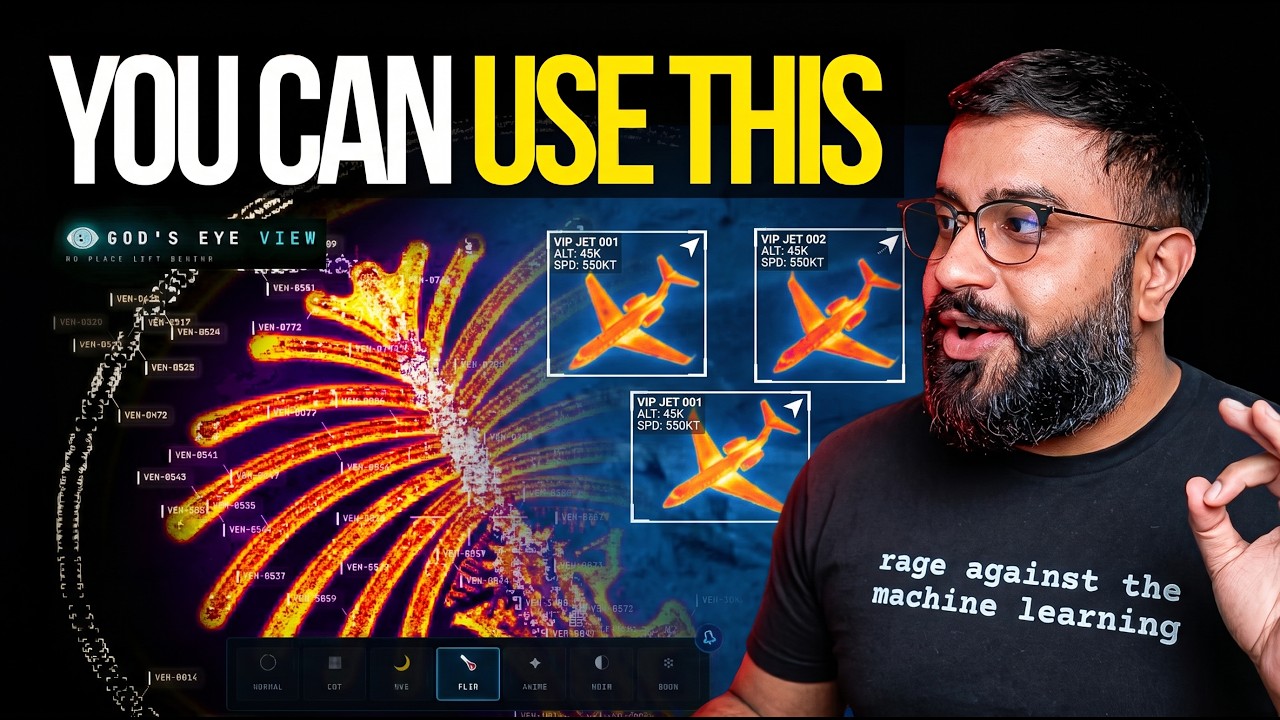](https://www.youtube.com/watch?v=GRJaKcXZS94) ▶️ **[The full walkthrough of everything below, on YouTube](https://www.youtube.com/watch?v=GRJaKcXZS94)** </div> ## ⚡ Quick Start **Local setup needs no account or API keys.** The app opens with Esri satellite imagery and keyless terrain. OSM is the fallback if Esri is unreachable. Flights, military traffic, satellites, earthquakes, public cameras, radio, and launches are available without keys. For photorealistic 3D, add a **Cesium ion token** for eligible personal, non-commercial use, or a **Google Maps key** for the direct, metered route and Google place search. Provider terms and quotas apply. Add keys through the app's **POWER UP** panel; [Keys & Costs](#-api-keys) explains the options. > **Already installed?** Update to the latest version. Older versions query > public OpenStreetMap Overpass servers, which now refuse them, so Traffic, > Mapped Installations and ALPR stay empty until you update. ### Path 1 — One click, no terminal 1. Install or update [Pinokio](https://desktop.pinokio.co/) to **8.2 or later**. 2. Open [God's Eye View in Pinokio](https://pinokio.co/apps/github-com-bilawalsidhu-gods-eye-view). 3. Click **Install**, then **Start**. Available on **Windows, macOS, and Linux**. The Pinokio maintainer reports cross-platform testing of the fixed installer. The launcher installs the locked dependencies, finds a free local port, and opens the app in your system browser. The Server menu item keeps the launcher console available. **Tried before and installation failed?** Update Pinokio and try again. Version 8.2 fixes the launcher installation issue; [details from the Pinokio maintainer](https://pinokio.co/posts/01m1m4p9xxm3qw7dnnpj2wr93g). **Using an older launcher or opening the embedded view manually?** If the globe is very choppy, before treating that as a GPU compatibility or minimum-hardware problem, copy the local server URL shown by Pinokio and open the same URL in your normal hardware-accelerated browser. One Pinokio 8.2.0 user reported severe stutter in Pinokio's embedded view that went away when the same running server was opened in an external browser ([#365](https://github.com/bilawalsidhu/gods-eye-view/issues/365)). That points to the embedded browser rather than the app server or your hardware; it does not establish a minimum GPU requirement. ### Path 2 — Terminal / coding agent Use **Node.js 24.x (24.14.0 or later) or 26.x**; 24.22.1 or later (26.12.1 or later on 26) includes the October 21, 2026 security fixes, among them CVE-2026-111497. The setup doctor warns about Node 25, which is end-of-life. ```bash git clone https://github.com/bilawalsidhu/gods-eye-view.git cd gods-eye-view npm ci npm run doctor npm run dev ``` Open **`http://localhost:4173`**. Choose **Space Missions**, **Environmental**, or **Explore Manually** from the first-run panel. <details> <summary>Startup performance</summary> A point-in-time M5/Chrome capture measured a median 1.86-second cold start. This is a comparison baseline, not a guarantee for your machine or connection. See [docs/PERFORMANCE.md](docs/PERFORMANCE.md). </details> **macOS shortcut:** `./scripts/dev-fresh.sh` clears the Vite cache and pulls any configured keys straight from the Keychain. It starts keyless too. <details> <summary><b>Path 3 — Docker</b></summary> No Node install needed; the container publishes the same dev server. ```bash git clone https://github.com/bilawalsidhu/gods-eye-view.git cd gods-eye-view docker compose up ``` Open **`http://localhost:4173`** as above. Everything the app saves stays in the folder you cloned, so `docker compose down` never loses anything: - `.env` - your API keys, whether saved from Provider Settings or typed in by hand - `.gev-cache/` - downloaded map and satellite data, so later starts are faster - `.gev-logs/` - logs Back up that folder and you've backed up everything; delete `.env` to forget your keys. Source edits still hot-reload. The port is published to `127.0.0.1` only, so the default matches the native one. The local MCP server and ChatGPT OAuth voice are not available under Docker; use an OpenAI API key for voice. Publishing it wider is the [Sharing an instance](#-sharing-an-instance) opt-in, and it hands out **Provider Settings** too: the launcher trusts the container gateway as this machine, and a wider publish delivers everyone else from that same address. For an instance you mean to share, put the keys in `.env` by hand instead. [SECURITY.md](SECURITY.md) has the detail. When you widen the publish, also set `GEV_KEY_SETUP_TRUSTED_PEERS=none` so the launcher trusts no gateway address. ```bash GEV_KEY_SETUP_TRUSTED_PEERS=none docker compose up ``` Compose forwards `GEV_KEY_SETUP_TRUSTED_PEERS` and `GEV_ALLOWED_HOSTS` from your shell or the project's `.env`; an exported shell value takes precedence. You can also put `GEV_KEY_SETUP_TRUSTED_PEERS=none` in `.env` for a persistent setting. Unset or blank trusted peers retain automatic gateway discovery; `none` explicitly disables it. The startup log confirms that no additional peers are trusted. <details> <summary>Running on Linux, a NAS, or behind a reverse proxy</summary> Run it as the user who should own the files it writes. `id` shows the numbers; for yourself on Linux: ```bash env UID=$(id -u) GID=$(id -g) docker compose up ``` On a NAS, clone onto the share you want the data on and use the share owner's ids: ```bash cd /volume1/docker git clone https://github.com/bilawalsidhu/gods-eye-view.git cd gods-eye-view env UID=1026 GID=100 docker compose up -d ``` Keep the `env`: bash treats `UID` as read-only, so a plain `UID=1026` in front of a command is silently ignored. If the container can't write the checkout, it says so at start. Docker Desktop on macOS and Windows maps ownership for you. On SELinux hosts (Fedora, RHEL), compose mounts the checkout with `:z` so the container may read it; Docker may relabel the checkout for container access, which can take a moment on a large checkout. Without that, the start fails with `Cannot find module '/app/scripts/docker-start.mjs'`. Behind a reverse proxy, put your keys in `.env` or pass them as environment variables - Provider Settings and the News layer refuse proxied requests on purpose - and add the hostname you serve it on, for example `GEV_ALLOWED_HOSTS=globe.example.lan` (see [Sharing an instance](#-sharing-an-instance)). The map routes compare the browser's `Origin` with the `Host` the server sees, so the proxy must pass the original `Host` and, when it terminates TLS, `X-Forwarded-Proto`. Caddy does both by default; for nginx add `proxy_set_header Host $http_host;`, `proxy_set_header X-Forwarded-Proto $scheme;` and `proxy_set_header X-Forwarded-For $proxy_add_x_forwarded_for;`. On an install outside Docker, that forwarding header also rate-limits the proxy's users apart from your own browser. Under the default Docker bridge network every client on the host, your browser included, reaches the container from its gateway address and shares one Overpass bucket. </details> <details> <summary>IPv6-only networks, rebuilding, and the test suites</summary> The launcher reads the IPv4 default gateway, so an IPv6-only Docker network finds none: it logs `No default gateway; Provider Settings stays loopback-only` and the panel refuses every save. Put your keys in `.env` by hand there, or name the gateway yourself with `GEV_KEY_SETUP_TRUSTED_PEERS` after reading [SECURITY.md](SECURITY.md). `node_modules` deliberately stays inside the image, so it survives in an anonymous volume across restarts: after a `git pull` that changes dependencies, recreate it with `docker compose down -v && docker compose up --build`. The image also skips Puppeteer's Chromium download, which keeps it small but leaves `npm run test:track` to the host — `npm run build` and `npm test` run fine in the container. </details> </details> <details> <summary><b>Path 4 — GitHub Codespaces (cloud, no local install)</b></summary> Codespaces requires a GitHub account. Overpass queries, the News layer and OpenAI voice token requests return HTTP 403 through its forwarded HTTPS URL, even with API keys in `.env` and `GEV_ALLOWED_HOSTS` configured. Use a local setup for these features. The codespace runs the dev server in a cloud workspace, so Node and the dependencies never touch your machine. The globe still renders in your own browser, so it needs the same graphics there as any other path. GitHub Free includes 120 core-hours a month with no card on file — about 60 hours on the default 2-core machine. Org and Enterprise plans include no free quota; current terms and quotas apply. 1. Fork this repository, then open **your fork** on GitHub. 2. Click the green **Code** button, the **Codespaces** tab, then **Create codespace on main**. 3. In the codespace terminal: ```bash nvm install 24 && nvm use 24 npm ci npm run doctor GEV_ALLOWED_HOSTS="$CODESPACE_NAME-4173.$GITHUB_CODESPACES_PORT_FORWARDING_DOMAIN" npm run dev ``` 4
